Best APK For Photo Background Object Removal
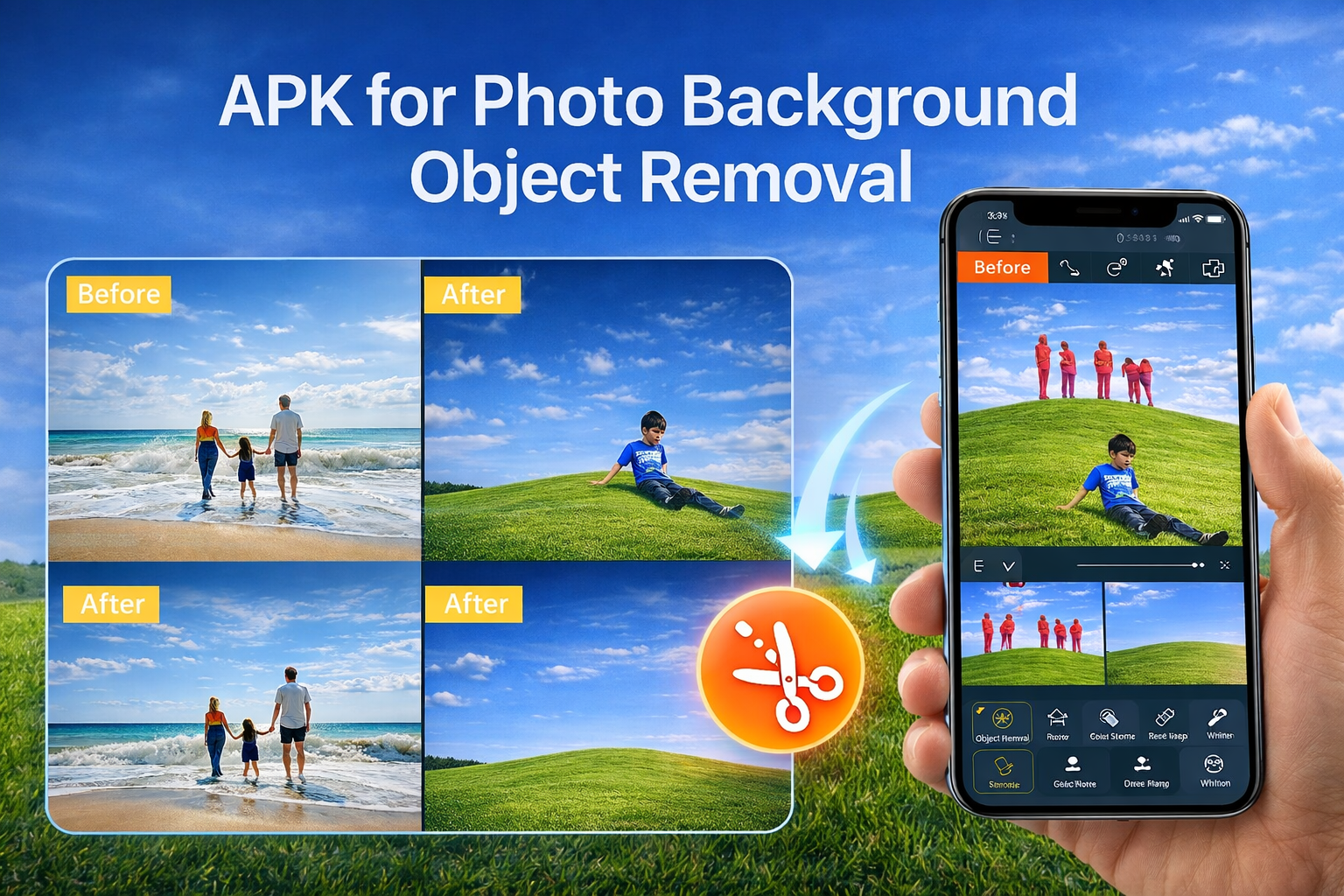
In this guide, you’ll learn everything about APK for photo background object removal, including what they are, how they work, their benefits, and the best apps you can use today.
What Is an APK for Photo Background Object Removal?
An APK (Android Package Kit) is the file format used to install apps on Android devices. When people search for “APK for background object removal,” they usually mean Android apps that can automatically remove objects or backgrounds from photos.
These apps use advanced technologies such as:
• Artificial intelligence (AI)
• Machine learning
• Edge detection
• Content-aware fill
• Smart masking
Together, these tools identify objects in an image and remove them while intelligently filling in the surrounding background so the edit looks natural.
Why Background Object Removal Is So Popular
Object removal has become essential for many users, including photographers, content creators, online sellers, and social media users. Here’s why:
- Clean and Professional Photos
Removing unwanted elements like photobombers, wires, trash, or random objects helps create cleaner images that look professionally edited.
- Social Media Content Creation
Influencers and creators often remove distractions or change backgrounds to make their posts more visually appealing.
- E-commerce Product Photos
Online sellers remove messy backgrounds to highlight products clearly and improve sales.
- Creative Editing
You can replace backgrounds, create artistic compositions, or design promotional graphics.
- Time and Cost Saving
Instead of hiring professional editors or using complex desktop software, you can edit photos directly on your phone.
How Background Removal Apps Work
Modern object removal apps rely heavily on AI. Here’s a simplified process:
1. Object Detection
The app scans the image and identifies objects or subjects.
2. Selection or Masking
You manually highlight the object or let the AI automatically select it.
3. Removal and Fill
The app removes the object and fills the space using surrounding pixels.
4. Blending and Smoothing
AI adjusts lighting, color, and texture to make the edit seamless.
This process happens within seconds on most modern smartphones.
Key Features to Look for in a Background Removal APK
Not all apps are equal. When choosing one, consider these features:
AI Auto Removal
Automatic background detection saves time and improves accuracy.
Manual Correction Tools
Brush or erase tools help refine edges and fix mistakes.
High-Resolution Export
Important if you need professional-quality images.
Batch Editing
Useful for editing multiple photos quickly.
Background Replacement
Lets you add custom backgrounds after removal.
One-Tap Object Removal
Ideal for beginners who want simple editing.
Best APK Apps for Photo Background Object Removal
Here are some of the most popular and powerful apps you can install on Android.
- Adobe Photoshop Express
Developed by Adobe Inc., this mobile editor offers advanced AI tools including object removal and background editing.
Key features
• Spot healing tool
• Automatic object removal
• Professional filters
• High-quality export
Best for: Professional editing on mobile.
- Remove.bg
Powered by Kaleido AI GmbH, this app specializes in automatic background removal using powerful AI.
Key features
• One-click background removal
• Fast processing
• Transparent background export
• Ideal for product photos
Best for: Instant background removal.
- Snapseed
Created by Google LLC, Snapseed includes a powerful healing tool that removes objects with precision.
Key features
• Healing brush
• Advanced editing controls
• Professional color adjustments
• Free to use
Best for: All-in-one photo editing.
- PicsArt
Developed by PicsArt Inc., this is one of the most popular creative editing apps.
Key features
• AI background remover
• Object eraser
• Creative templates
• Social sharing tools
Best for: Creative and artistic edits.
- TouchRetouch
Created by ADVA Soft, this app focuses specifically on removing unwanted objects.
Key features
• One-tap object removal
• Line removal tool (great for wires)
• Clone stamp
• High precision editing
Best for: Removing specific objects cleanly.
- Canva Photo Editor
Offered by Canva Pty Ltd, Canva includes an AI background remover along with graphic design tools.
Key features
• Automatic background removal
• Graphic templates
• Drag-and-drop editing
• Social media design tools
Best for: Design + editing in one place.
Step-by-Step: How to Remove Background Objects Using an APK
Here’s a simple process that works for most apps:
1. Install the app from Play Store or APK file.
2. Open the photo you want to edit.
3. Select the Object Removal or Background Remover tool.
4. Highlight or tap the object to remove.
5. Let AI process the image.
6. Adjust edges if needed.
7. Save or export your edited image.
That’s it — professional editing in minutes.
Benefits of Using Mobile Background Removal Apps
Fast Editing
AI completes edits in seconds.
Easy to Use
Most apps require no technical skills.
Portable Editing
Edit anywhere using your phone.
Affordable
Many apps offer free versions.
Professional Results
AI produces studio-quality edits.
Common Uses of Object Removal APKs
• Travel photography cleanup
• Portrait background change
• Social media content
• Product photography
• Real estate images
• Marketing graphics
• Meme creation
• Digital art
Tips for Best Editing Results
Use High-Quality Photos
Better resolution improves AI accuracy.
Zoom In for Precision
Refine edges for natural blending.
Match Lighting
Ensure replacement backgrounds match lighting direction.
Avoid Over-Editing
Too much smoothing can look unnatural.
Use Blur for Realism
Background blur helps hide imperfections.
Free vs Paid Background Removal Apps
Free Apps
Pros:
• No cost
• Basic editing tools
• Good for casual use
Cons:
• Watermarks
• Limited features
• Lower resolution export
Paid Apps
Pros:
• Advanced AI tools
• High-resolution output
• No watermarks
• Better accuracy
Cons:
• Subscription cost
Safety Tips When Downloading APK Files
If you download APKs outside the Play Store, be careful:
• Use trusted websites
• Scan files for malware
• Check app permissions
• Avoid modded or cracked apps
• Keep your device security enabled
Official app stores are always safer.
Future of Background Object Removal Technology
AI is improving rapidly. Future editing apps may include:
• Real-time video background removal
• 3D object reconstruction
• Automatic lighting matching
• Voice-controlled editing
• Full scene generation
Mobile editing will soon rival professional desktop software completely.
Who Should Use Background Removal APKs?
These apps are ideal for:
• Photographers
• Social media influencers
• Graphic designers
• Students
• Online sellers
• Content creators
• Anyone who loves photo editing
You don’t need professional skills — just creativity.
Final Thoughts
APK apps for photo background object removal have transformed the way people edit images. What once required expensive software and expert skills can now be done instantly on a smartphone. With powerful AI technology, intuitive controls, and professional-grade results, these apps are essential tools for modern photography and digital content creation.
Whether you want to clean up personal photos, create eye-catching social media posts, or design professional marketing visuals, background removal apps make editing fast, easy, and accessible to everyone.
As AI continues to evolve, mobile photo editing will only become more powerful — giving users unlimited creative possibilities right in their pockets.